Artificial intelligence is quickly becoming part of everyday life. From chat assistants to smart workflow systems, AI is helping businesses and individuals save time, reduce manual work, and improve accuracy. One of the easiest ways to build your own intelligent system is by creating an AI agent.
If you are wondering how to create an AI agent that can think, respond, and act automatically, the open-source tool n8n is a perfect starting point. It connects your favorite applications and AI models into a single visual workflow that runs without human involvement.
For the best experience, you can explore n8n hosting solutions from IT Nut Hosting. Their optimized servers provide excellent performance and reliability for automation and AI workflows, making it simple for anyone in Bangladesh to start building with n8n.
Table of Contents
What is n8n Automotion

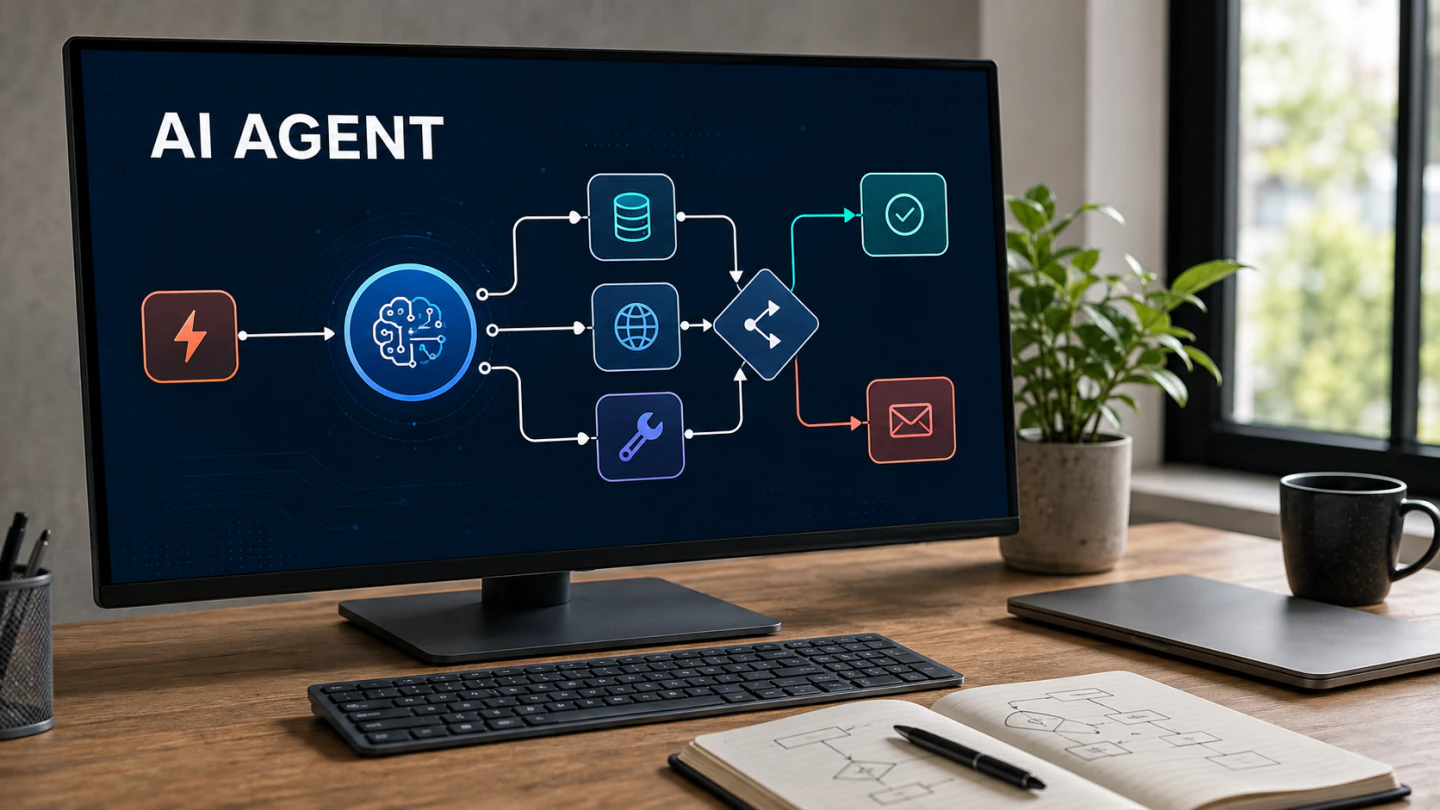
n8n, pronounced as “n eight n,” is an open-source automation platform that lets you connect services and create smart workflows. Each action in n8n is represented as a node. When connected together, these nodes form a flow of data that can perform specific tasks such as sending emails, analyzing text, or generating responses through AI models.
Unlike cloud-based tools that keep your data on external servers, n8n allows you to host it yourself. This gives you full control over privacy, performance, and customization. It supports hundreds of integrations, from Gmail and Slack to OpenAI and Telegram, letting you build any type of automation system you can imagine.
Because n8n is open source, developers and non-technical users alike can extend its features, build custom integrations, and design workflows that fit their exact goals.
Why n8n is a Great Choice for AI Automation
Building an AI agent no longer requires programming skills. n8n provides a clean, visual interface that anyone can use to connect logic, data, and automation.
Visual Workflow Builder
You do not need to write code. The drag-and-drop builder allows you to design workflows using simple blocks, connecting each step in the order you want.
AI Integrations
n8n works with OpenAI and other AI platforms, letting you use models like GPT to generate content, summarize data, or respond to messages automatically.
Control and Security
With self-hosted n8n, your workflows run in your own environment. You decide where the data lives, who can access it, and how it operates.
Cost Efficiency
When comparing n8n cloud pricing with self-hosted setups, hosting it yourself is often more affordable. You can run unlimited workflows without paying for every task.
Reliable Performance
For users in Bangladesh, n8n hosting BD offers strong connectivity and uptime. A stable server ensures that your AI workflows stay active and responsive around the clock.
Step by Step: How to Create an AI Agent with n8n

Creating an AI agent with n8n is easier than most people expect. The process can be completed in a few simple steps.
Step 1: Set Up Your Hosting Environment
First, you need a server where n8n will run. You can install it on your own VPS or cloud server. Choosing a managed n8n hosting provider ensures faster setup, regular updates, and strong performance so you can focus entirely on building your workflow.
Step 2: Access the n8n Dashboard
After installation, log in to your n8n dashboard through your browser. The visual editor shows a blank canvas where you can start creating your workflow. Each node you add represents an action or process in your AI system.
Step 3: Add and Configure the AI Node
To give your workflow intelligence, add an OpenAI node or connect another AI model using the HTTP Request node. Insert your API key and set the prompt or instruction you want your AI agent to follow. For example, it could summarize messages, write short replies, or analyze customer feedback.
Step 4: Connect Triggers and Actions
An AI agent needs to know when to act and what to do next. You can add triggers like “new message received” or “form submitted,” then link them to the AI node and the final action, such as “send response to email.” This creates a complete flow where your agent listens, thinks, and reacts.
Step 5: Test and Activate the Workflow
Run your workflow once to make sure every part works as expected. n8n provides clear logs that show how data moves between nodes. After successful testing, activate the workflow. From this point, your AI agent runs automatically and continues working without supervision.
Common Use Cases for AI Agents Built with n8n
n8n can be used to automate almost any task. Here are some examples that show its flexibility.
Customer Support Assistant
Connect OpenAI with Gmail and Slack so the agent can read customer emails, create a draft reply, and send it after your approval.
Automated Social Media Manager
Use n8n to generate posts and schedule them on different platforms automatically.
Data Analyst and Reporter
Fetch raw data from Google Sheets or APIs and use AI to create daily summaries delivered to your inbox.
Smart Lead Qualification
Analyze new leads in real time and categorize them based on their potential.
Each of these automations saves time, reduces manual work, and keeps your business running efficiently.
Self-Hosted n8n Compared to Cloud
| Feature | n8n Cloud | Self-Hosted n8n |
| Control | Limited access | Full customization |
| Cost | Subscription fee | Fixed hosting cost |
| Privacy | Shared environment | Private environment |
| Scalability | Limited by plan | Expandable at any time |
| Security | Managed by vendor | Managed by you |
For businesses that value data privacy and long-term savings, self-hosted n8n is usually the better option. It gives you the same functionality with more flexibility and independence.
Why Hosting Quality Matters

Every automation depends on the reliability of its server. Slow response times, downtime, or weak security can break workflows and disrupt your business. A strong hosting partner keeps your system running continuously and safely.
IT Nut Hosting is known in Bangladesh for combining advanced technology with a customer-first approach. The company operates data centers in the United States and offers BDIX connectivity for faster local access. It provides reliable support, enhanced security, and infrastructure optimized specifically for automation platforms like n8n.
Final Thoughts
Learning how to create an AI agent with n8n can change the way you handle repetitive or complex work. The ability to design workflows that respond intelligently opens endless opportunities for automation and innovation.
n8n makes this process accessible, while dependable hosting ensures your system runs smoothly. To get started with your own automation setup, visit IT Nut Hosting’s n8n Hosting and explore their performance-focused plans for building and managing your AI workflows.